Why do high Ping and high latency occur when running eFootball?
High Ping is mainly related to server distance, carrier routing, network congestion, and wireless connection quality. Fast download speeds do not mean low latency when connecting to game servers — the most direct impact of high Ping is increased delay between your input and the server's feedback.
Causes of high Ping when running eFootball:
- Physical distance to the game server increases round-trip time.
- Internet routing may take inefficient or congested paths to the server.
- Peak-hour congestion at your ISP or local network can add delay.
- Wi-Fi interference, weak signal, or packet retransmissions can raise latency.
- Background downloads, streaming, cloud sync, or updates may consume bandwidth.
- Other devices sharing the connection can cause bufferbloat and queueing delays.
- The game server or its regional data center may be under heavy load.
- VPNs, proxies, mobile networks, or unstable connections can add extra routing delay.
Note:Fast download speeds do not mean low latency when connecting to game servers.
eFootball stuttering or high latency? Accelerate for free now.
 Free DownloadChoice of 1M+ gamers
How to fix eFootball high Ping and high latency issues with one tap
To significantly reduce eFootball latency, stuttering, and similar issues, the key is to optimize and improve game data transmission between the player and the game server. Only fast, stable data transmission can noticeably reduce the feeling of in-game lag.
-
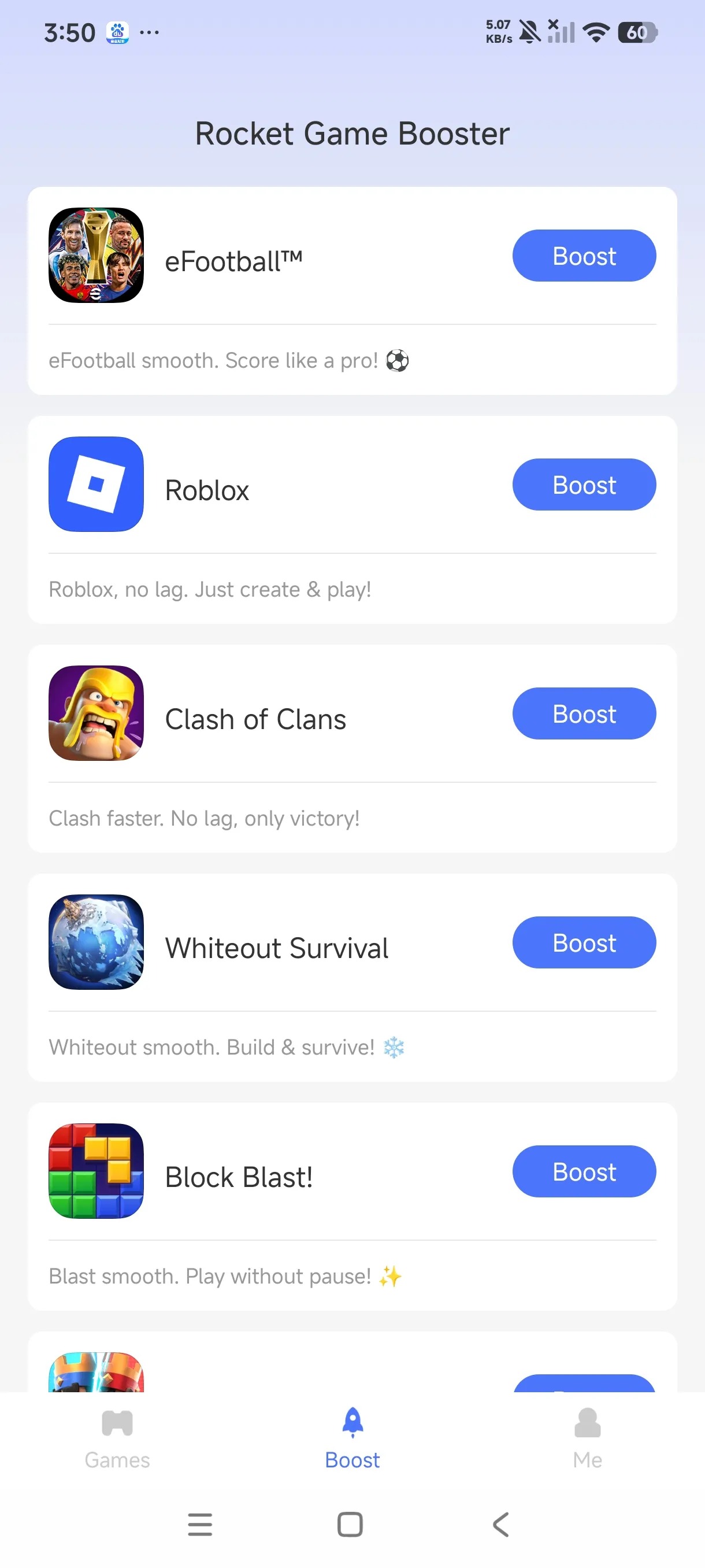 Step 1
Select eFootball
Tap "Add My Games," find eFootball, and tap the "Add" button at the bottom.
-
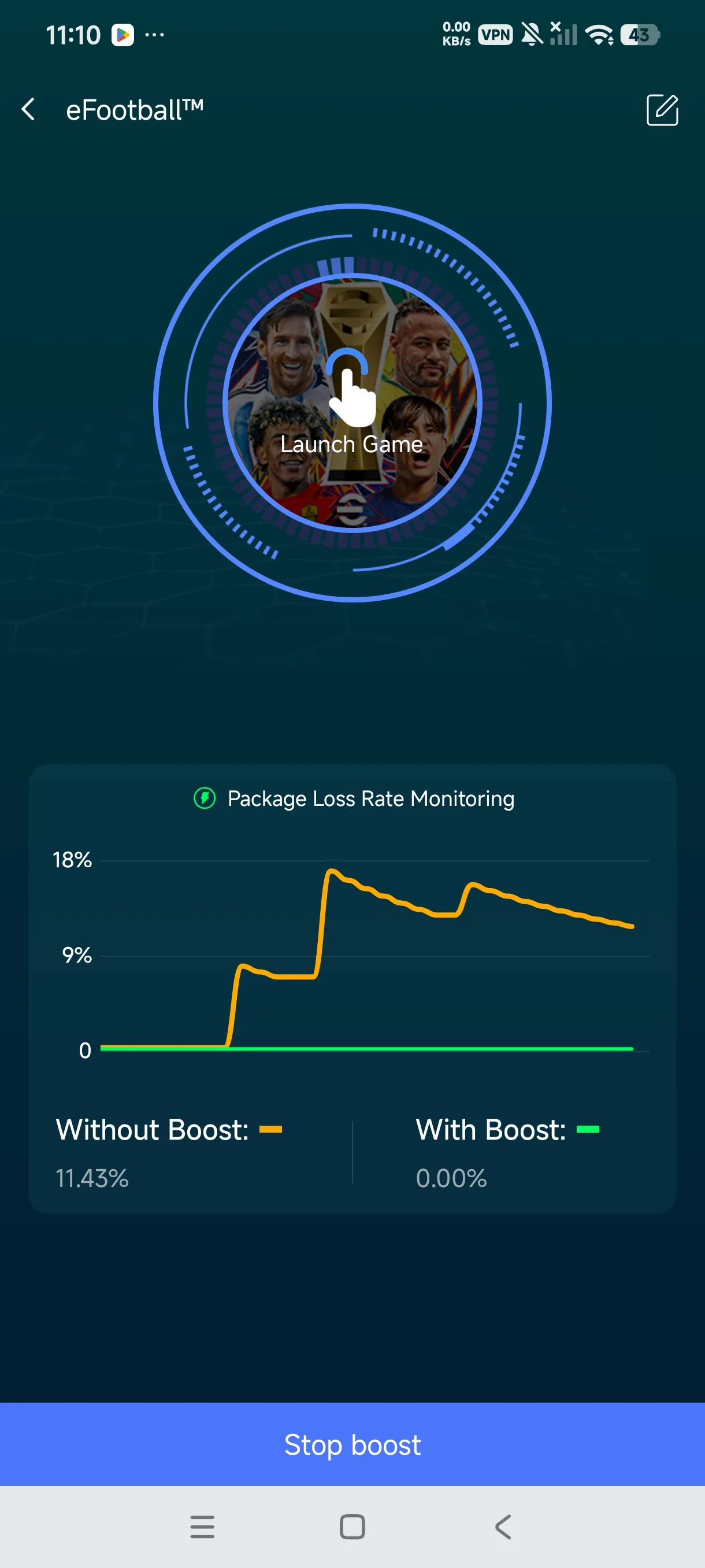 Step 2
Start Boost
Tap the "Boost" button to the right of eFootball to enter the acceleration screen.
-
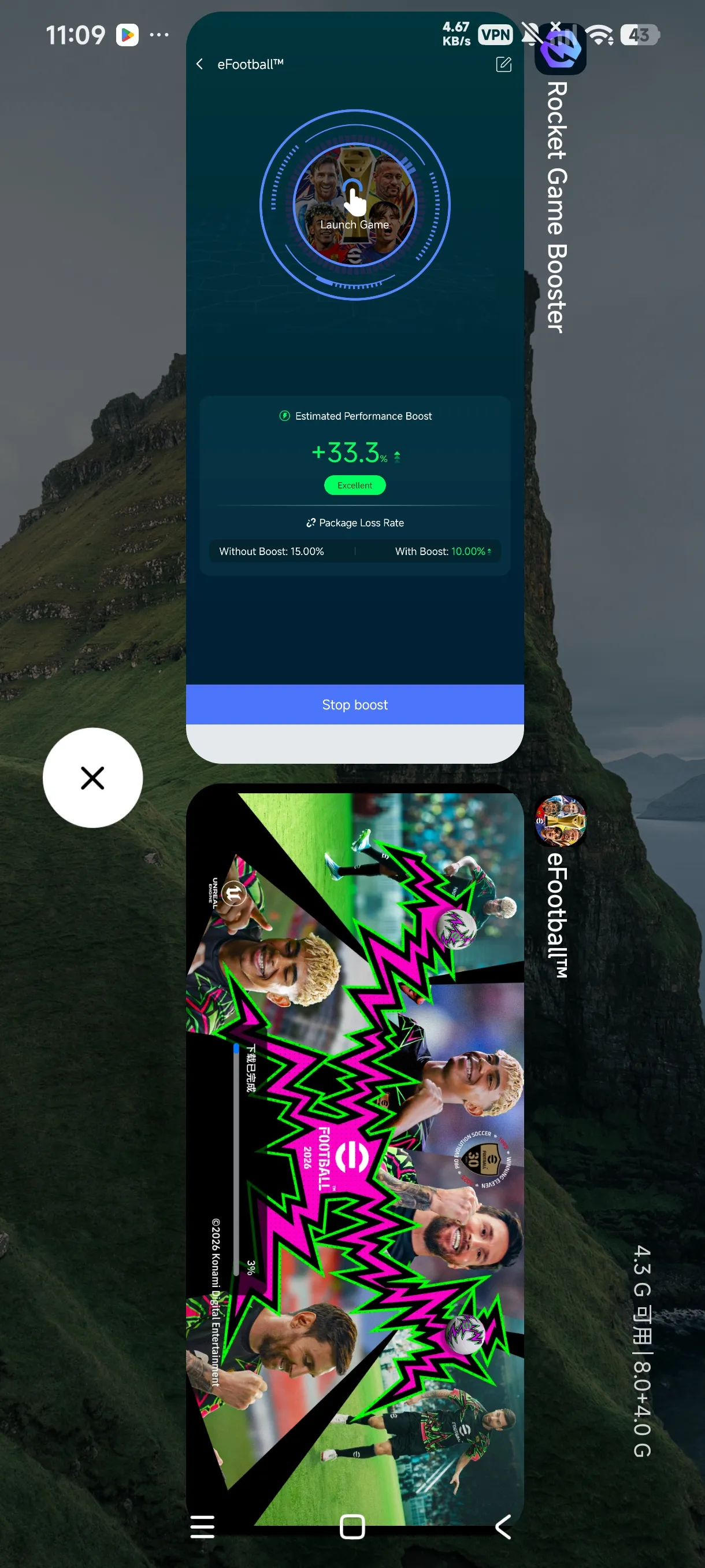 Step 3
Boost Screen
Shows the network status before and after boost, with a clear comparison of Ping, latency, packet loss, and other data.
-
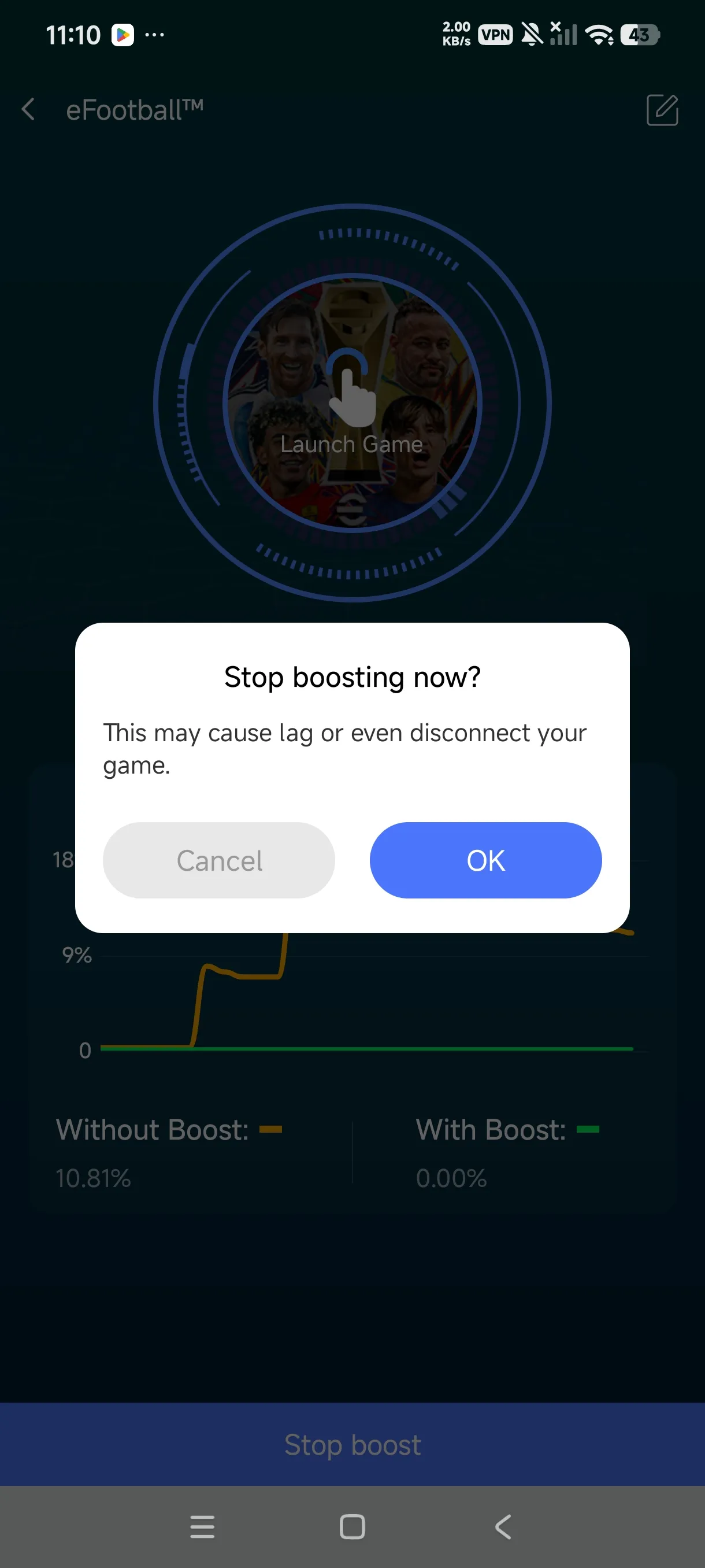 Step 4
Stop Boost
Return to the acceleration screen and tap the "Stop boost" button at the bottom to stop acceleration.
It's that simple — fix eFootball high latency, high Ping, and other network issues with one tap, so you can run eFootball without worrying about screen lag, character stuttering, or similar problems.
A super-simple, easy-to-use game booster.
Free DownloadTrusted by 1 million players
Other possible issues when eFootball is running
Besides fixing eFootball high Ping and high latency, what other network issues can Rocket Booster solve?
Packet loss
Packet loss causes character teleporting, interrupted position updates, and delayed input synchronization in eFootball — and in severe cases, disconnections. It reduces issues like "normally fine, then suddenly a brief freeze" and inconsistent input feedback speed.
Network jitter
Network jitter causes eFootball to respond inconsistently — sometimes fast, sometimes slow — with unstable input feedback and occasional sudden character displacement. It reduces character teleporting, rubber-banding, and delayed input synchronization, and lowers the risk of some disconnections.
Wi-Fi instability
Wi-Fi instability, brief disconnections, interruptions during network switching, and the resulting jitter and packet loss — when Wi-Fi degrades, it keeps the game connection alive as much as possible, reducing sudden freezes, reconnections, or disconnections.
About Rocket Booster
Rocket Game Booster
| App name | Rocket Game Booster |
|---|---|
| System requirements | Android 7.0 or higher (compatible with all Android brands) |
| Languages | English and dozens of other languages |
| Free features | Game network route acceleration |
| eFootball versions | Compatible with multiple eFootball versions and runs normally |
FAQ
Rocket Booster does not require your eFootball account password to boost. Please always log in through the game's official login screen. The VPN connection authorization prompt on your phone is for establishing the acceleration tunnel and does not grant permission to read your game account password. Never share your password or verification code with anyone.
Rocket Booster supports eFootball acceleration. Availability for different versions and regional servers depends on the current support status in the app. We recommend keeping both the game and Rocket Booster updated. If after updating the game is not recognized or acceleration behaves abnormally, please provide us with your game version, region server, and phone model to help us investigate.
A lower Ping indicates improved network responsiveness, but lag can also be related to frame drops, overheating, or the game server’s status. Observe if character teleportation and input delay decrease but camera movement remains choppy. In that case, consider lowering graphics quality, closing unnecessary background apps, and allowing the device to cool down.
We recommend enabling eFootball acceleration in Rocket Booster first, and once the connection is confirmed successful, launch the game. Please keep the acceleration service running during gameplay to avoid being closed by background cleaning or power-saving modes. After finishing, tap "Stop boost" to stop acceleration; there is no need to keep it on all day.
In Rocket Booster, select eFootball, tap "Boost", and once the page indicates acceleration is active, start the game. You can check network data on the boost screen and combine it with in-game Ping and match experience to evaluate the effect. "Boosting" means the service has started; actual improvements vary based on your network environment.
Feedback: eFootball acceleration not working
- First
Make sure your phone's system is Android 7.0 or higher.
- Second
Make sure the eFootball you're running is the official version, not a MOD version.
- Third
Make sure Rocket accelerator is downloaded from the Google Play Store.
- Fourth
If all three above are fine, try restarting the game and Rocket accelerator.
- Last
If you still can't accelerate eFootball after restarting, please contact us with your feedback.
About eFootball
eFootball is KONAMI’s free-to-play soccer game, where you build and develop a team, play matches, use player-development items, and customize a stadium. It requires an internet connection; a stable, low-latency connection is recommended because lag can affect the responsiveness and smoothness of online matches.

eFootball™
| Game name | eFootball™ |
|---|---|
| Game genre | Sports |
| Developer | KONAMI |
| Latest version | 11.1.1 (Updated on Google Play on October 13, 2026) |
| Version size | Approximately 3.1 GB of free storage space is required to download and install the game. |
| Android requirements | |
| Downloads | 100,000,000+ downloads on Google Play |
| Game modes | Friend Matches; Co-op Matches (up to three-a-side). |